For Workday consultants and release teams
Workday release sign-off, without the spreadsheet round-trip
Stop emailing the heat map to every functional area owner and merging their replies by hand. Import one file, assign each functional area to somebody in the app, and each owner confirms or flags only their own rows. Sign-off status is live instead of chased.
On the last release I ran on a spreadsheet, nearly a quarter of the features had no owner against them at all. Not disputed, not deferred. Nobody had been asked.
This is the release, open in front of you
The live app. Sample release, not customer data.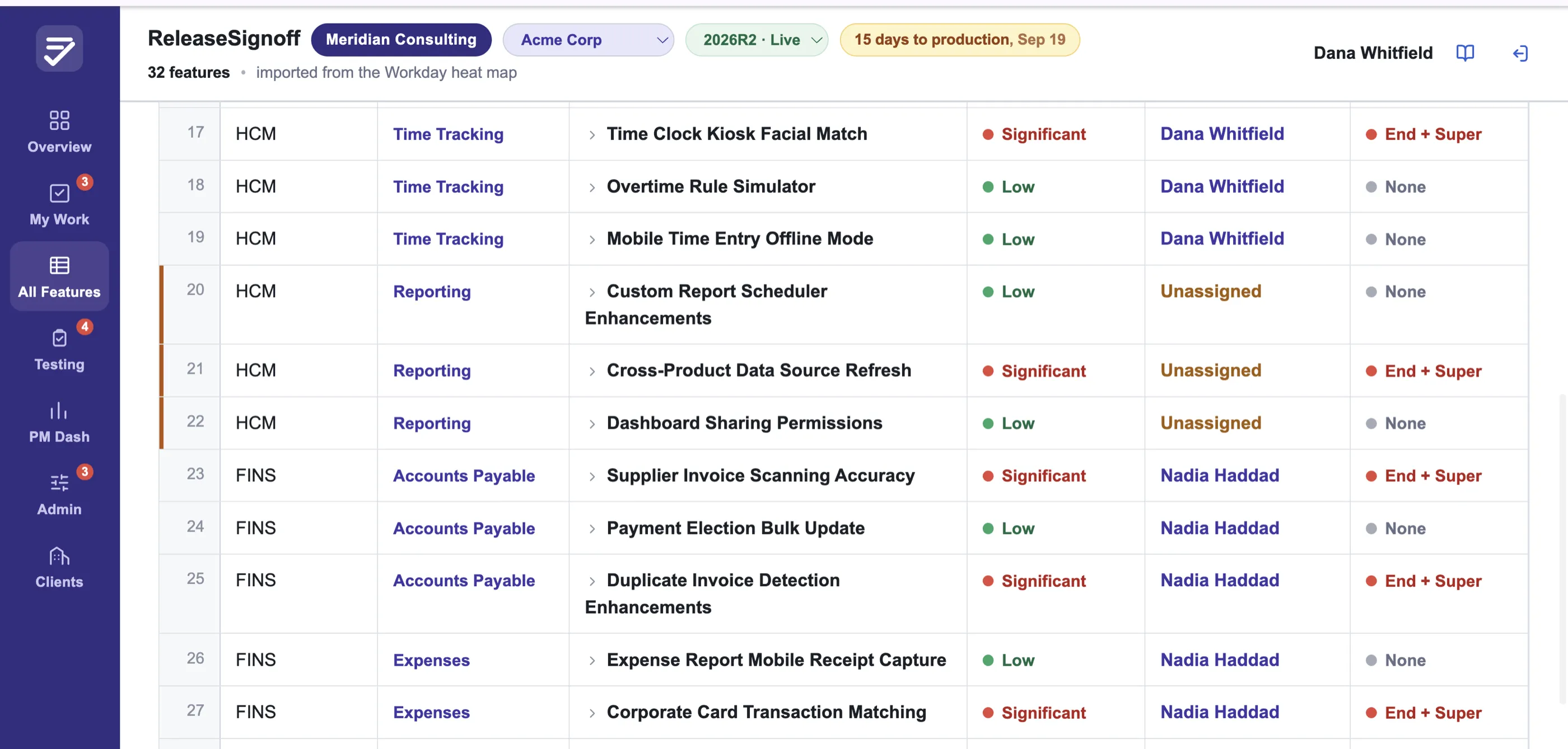
Sample data Every feature, its owner, and the ones nobody has claimed. The red rows are the question a spreadsheet never volunteers. Scroll the image sideways to read it.
Built for Workday release reviews specifically
Not a spreadsheet tool bent into shape. ReleaseSignoff reads Workday's heat map directly, including the color-coded training impact, and lists every functional area in it for you to assign. Where Workday's area names do not match the ones your team uses, it shows you the mismatches and you map them once.
Twice a year you import one file: the What's New heat map Workday delivers. You assign each area to a reviewer in the app, adding people by name and email, and they get an email saying there is work waiting. If you have the Feature Release Testing Workbook, that goes in too. Everything else is live from there.
- One file to import. Your own What's New export. Nothing to hand-build first.
- Reviewers are added in the app. A name and a work email, and they can sign in.
- Ownership carries forward. Next release starts from the last one's assignments.
- You only see your rows. Each owner reviews just their functional area.
- Status is live, not chased. The dashboard updates the moment anyone saves.
- Gaps surface automatically. An unassigned area shows up, never silently.
- Several clients, one login. Switch between the ones you work on.
- A handover pack at the end. Everything decided, as a PDF or an Excel file.
Setting the release up is one file and a few dropdowns
The live app. Sample release, not customer data.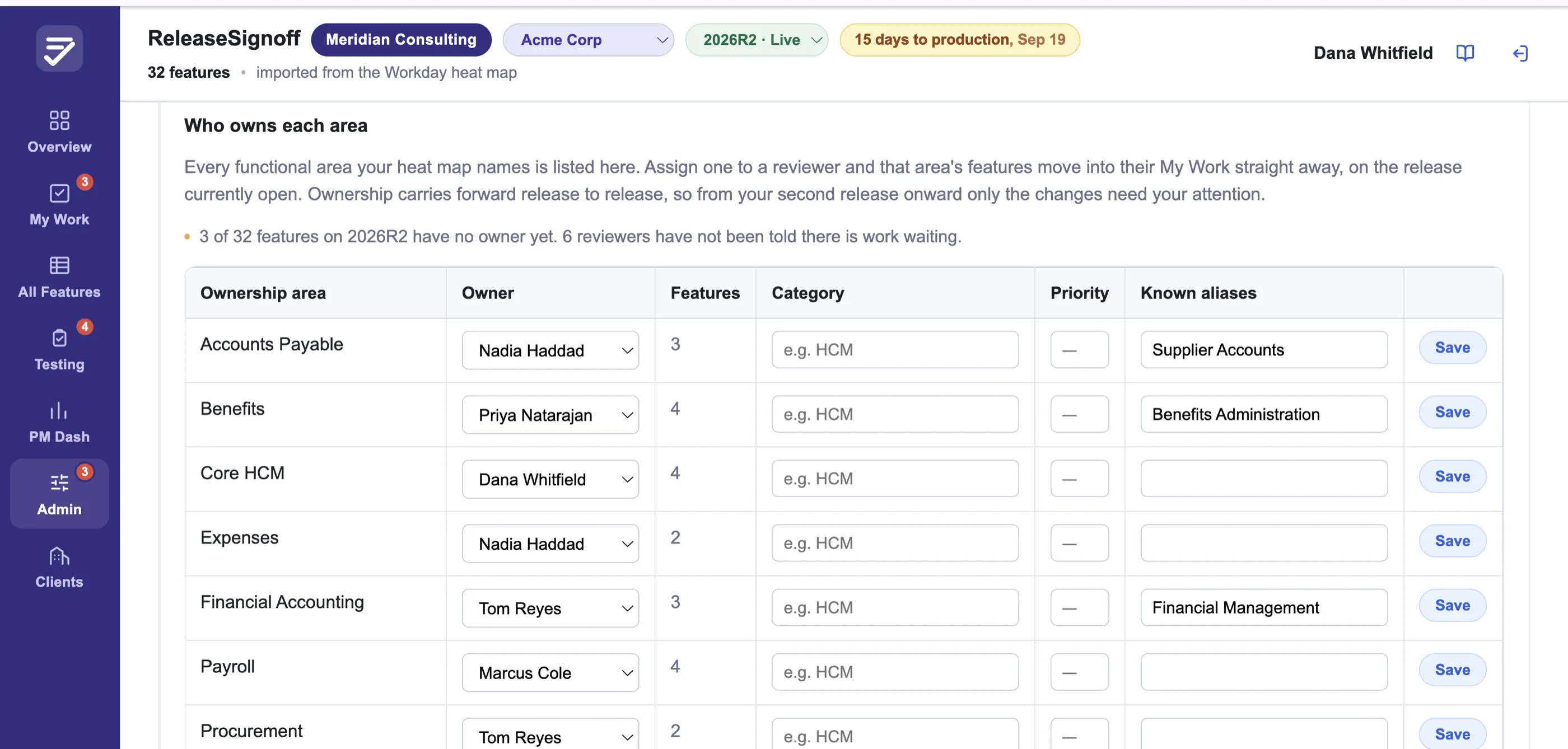
Sample data Every functional area your file names, listed for you to assign. Pick an owner and that area's features move into their queue immediately, with no re-import. Scroll the image sideways to read it.
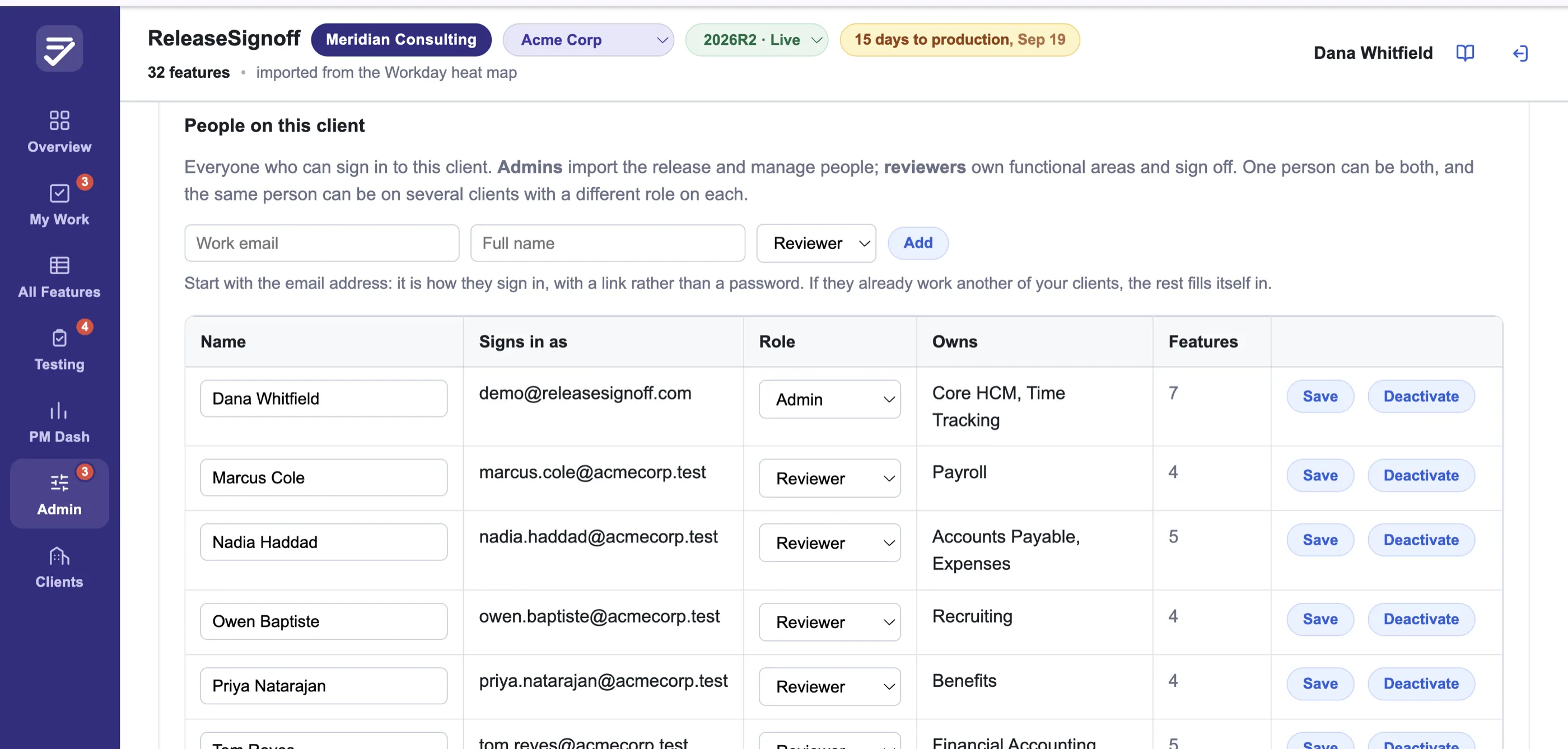
Sample data There is no owner spreadsheet to author. Add someone by work email, and if they already review for another of your clients, the rest fills itself in. Scroll the image sideways to read it.
What the PM Dashboard looks like
The live app. Sample release, not customer data.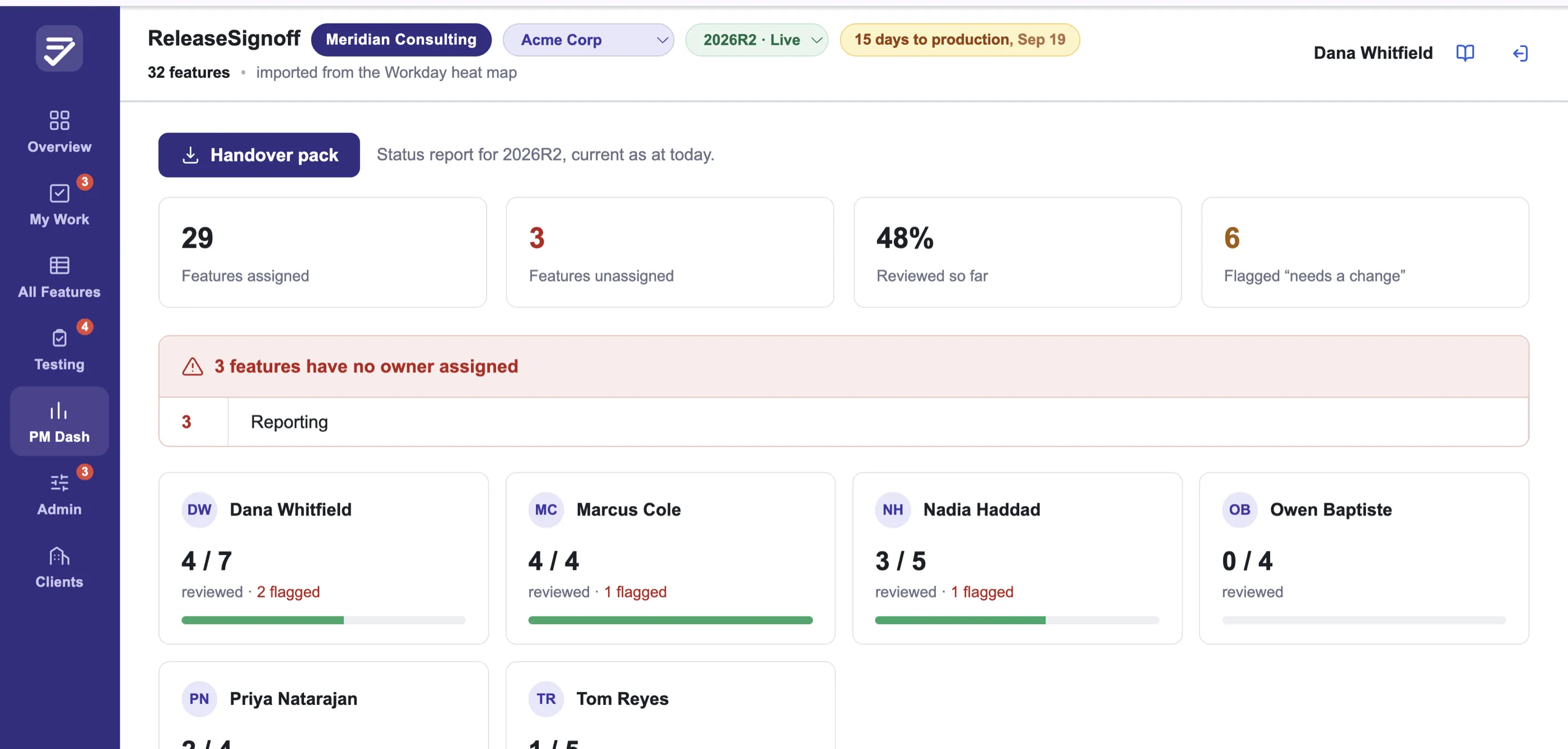
Sample data Who has answered, who has not, and what is still unowned, without asking anyone.
Running releases for more than one client
The live app. Sample account, not customer data.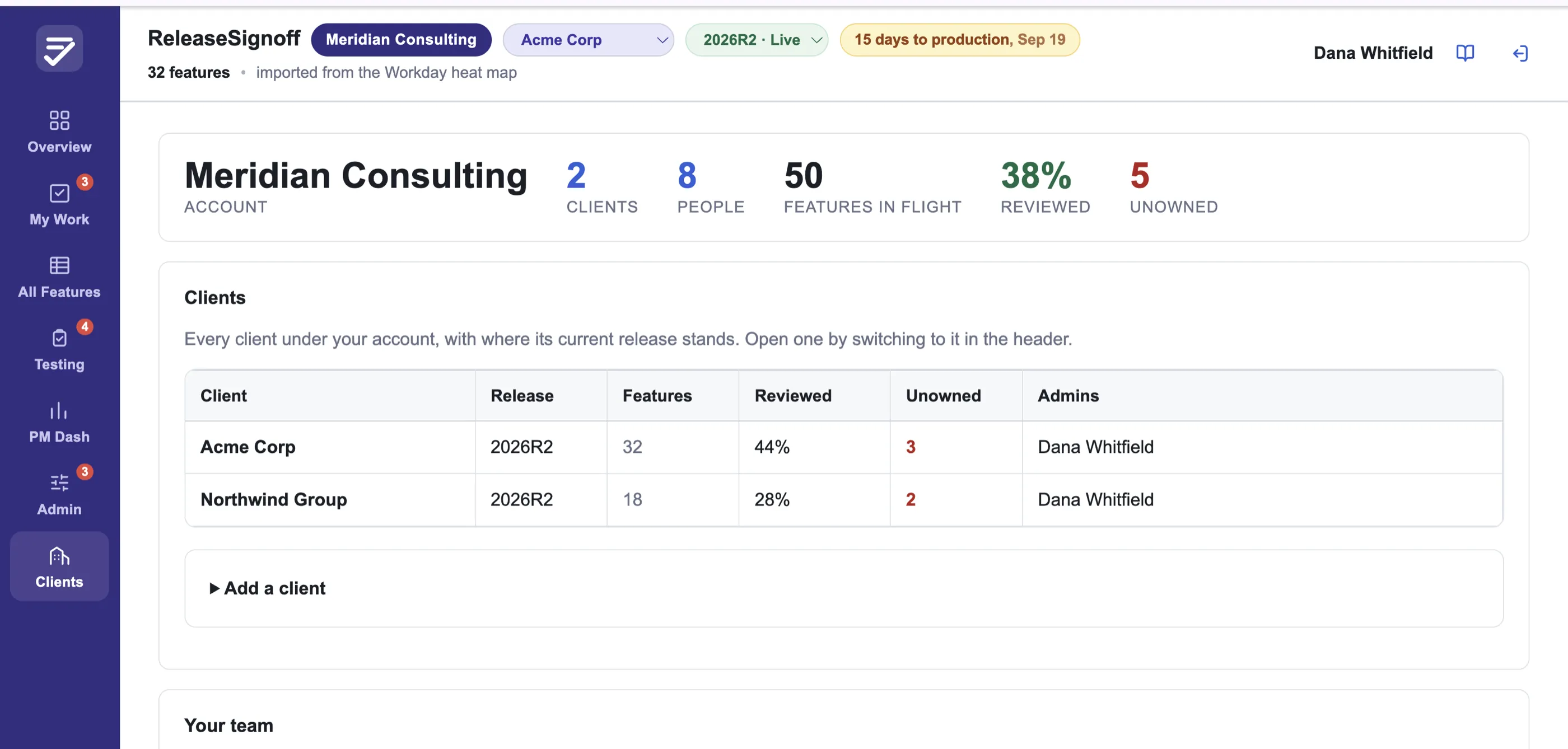
Sample data Each client keeps its own releases, people and history, and nobody sees a client they are not on. The same consultant working three of them is one login, not three accounts. Scroll the image sideways to read it.
What actually changes
Illustration. Sample rows, not customer data. One release, one place
Yes, a spreadsheet works. Until it does not.
One client, five owners, a status column and a few filter views: a shared sheet handles that, and if that is your situation, keep it. Nothing here is worth switching for.
It comes apart at the seams. Two owners editing the same row. No way to tell who signed off on what, or when they said it. A list of owners that drifted since the last release and now half-matches the delivered report. And the question a sheet will never volunteer on its own: of the features in this release, which ones has nobody claimed?
ReleaseSignoff does one job. It holds the heat map, who owns what, and the sign-off state together, gives each owner a queue of their own rows, and tells you what is unowned before the release lands.
Already have the Adoption Planning Hub?
Workday's Adoption Planning Hub went generally available in 2026R1 and it is included in your tenant. It is a good tool, and if you are one customer and everyone signing off already has tenant access, use it.
It is scoped to one tenant, and every reviewer needs the right security domains to get in. That does not help if you are running sign-off across several clients at once, because there is no across-tenant view. It does not help if the functional lead who has to approve the absence changes has no Workday account at all.
ReleaseSignoff sits outside the tenant. Reviewers need an email address. One login covers every client, and you pick which one you are working on.
Running a Workday release review this cycle?
Built by someone who has run this across enterprise clients twice a year. If any of it sounds familiar, I would like to hear how you handle it today.